
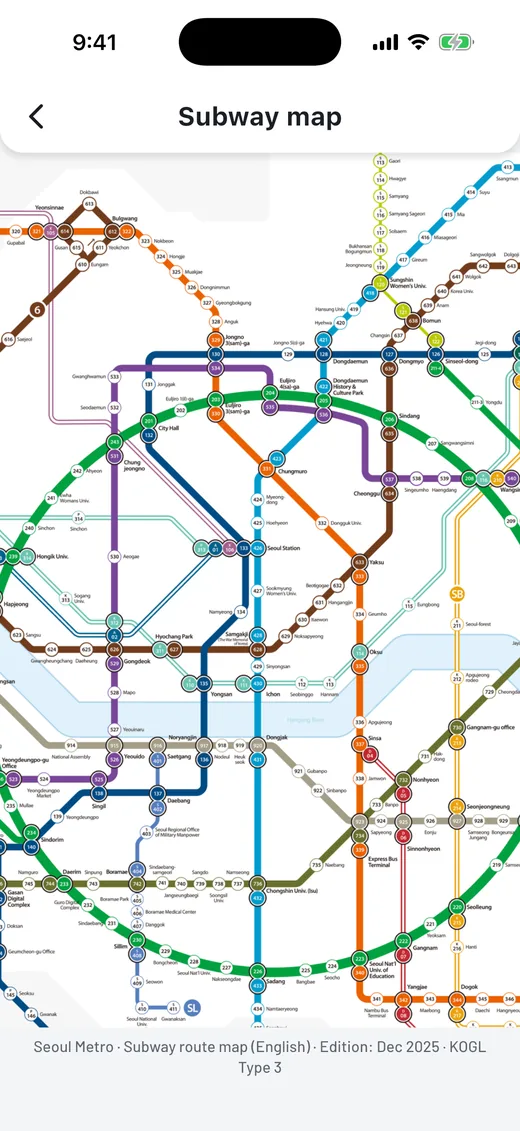
Tap the map, easily find station info. Elevators, lockers, restrooms+. Use Korean/English address translation.
Now available on Google Play. The iPhone version is coming soon.
One purchase. No account. No subscription.
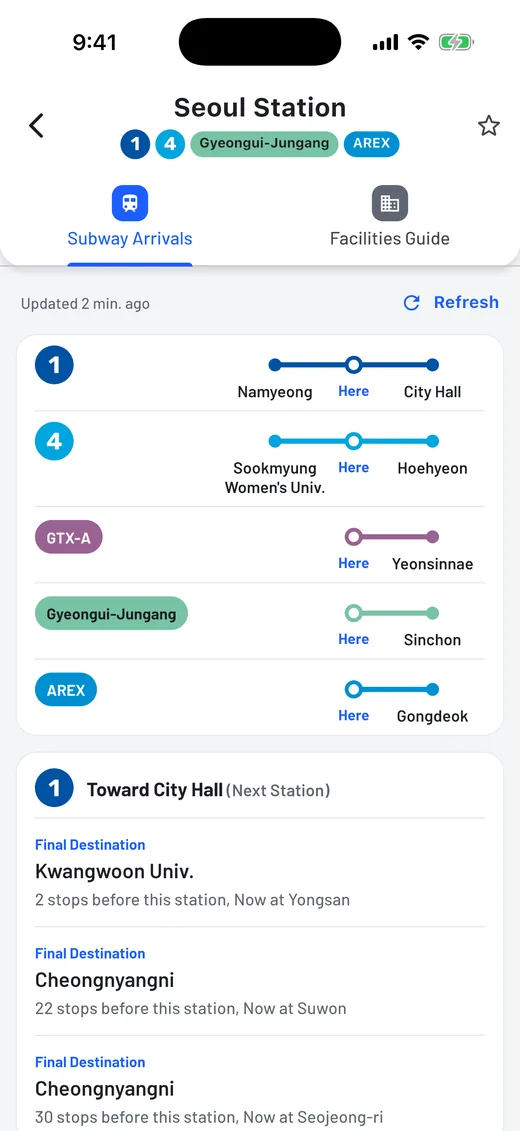
Trains are grouped by direction and named after the next station, the way platform signs say “Toward …”. See “Arriving in 3 min.” or “Arriving now”, and how many stops away a train is. The list refreshes automatically.
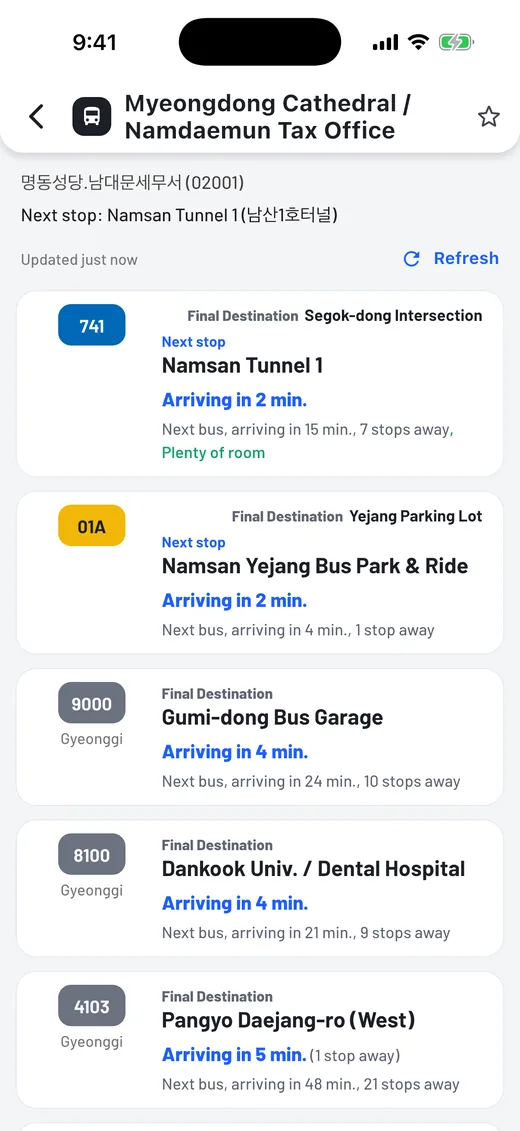
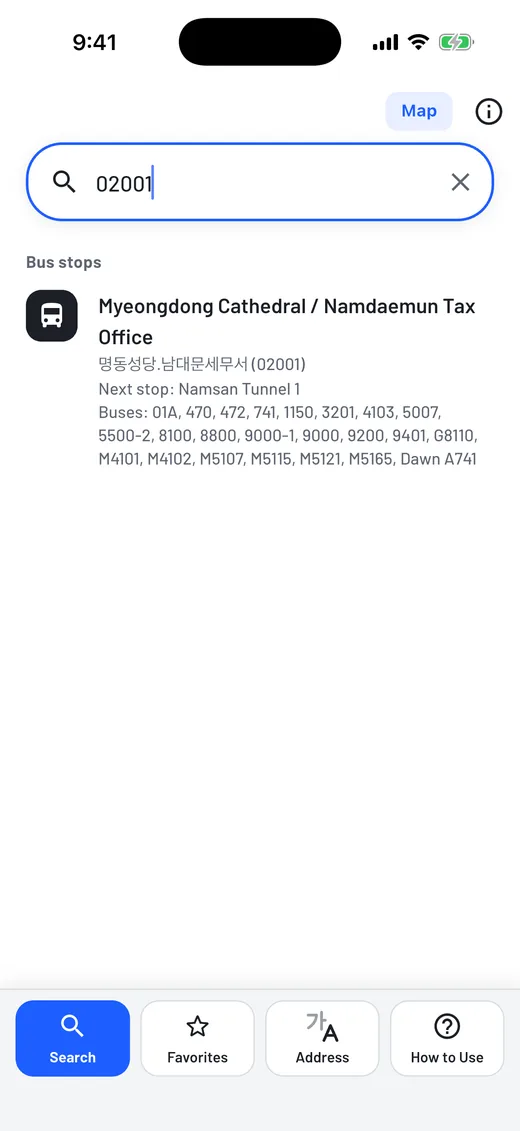
The next two buses for every route at a stop, with minutes and stops away. See low-floor buses, how crowded a bus is, and the last bus of the day. Type the 5-digit number on the bus stop sign.
A few lines, such as Incheon Line 1 and 2, do not provide live arrivals.


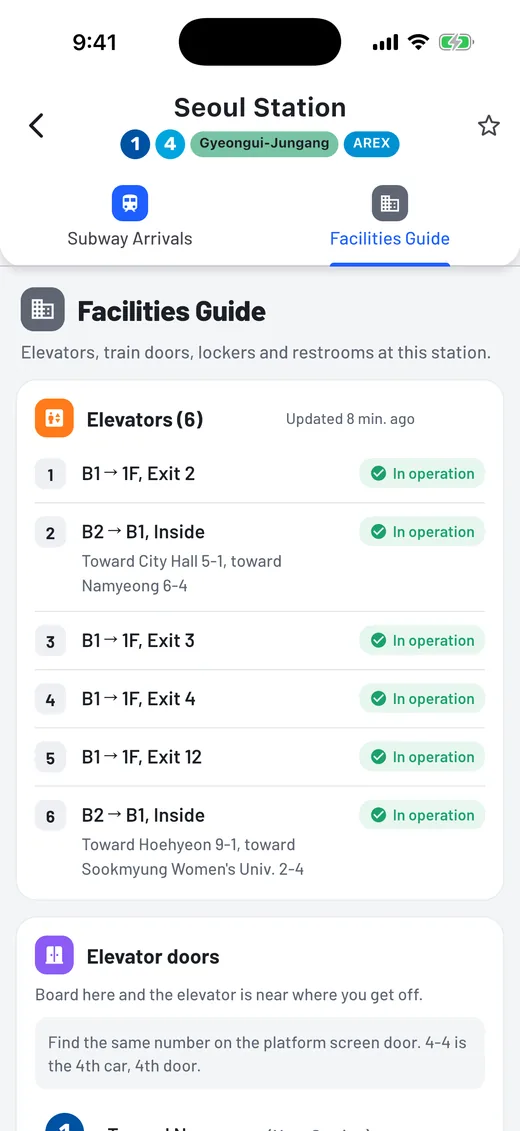
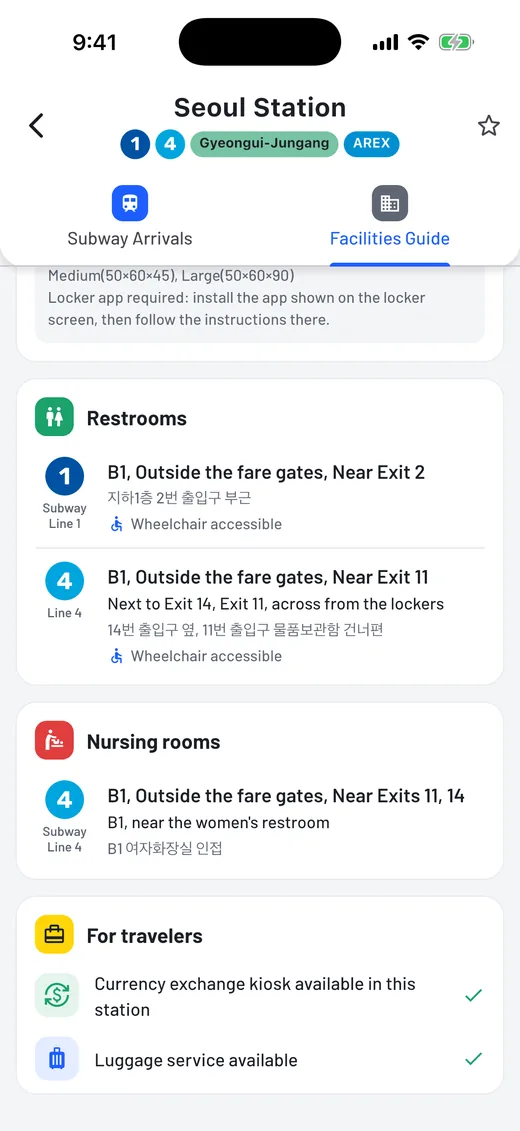
Details inside the station that matter when you are carrying bags.


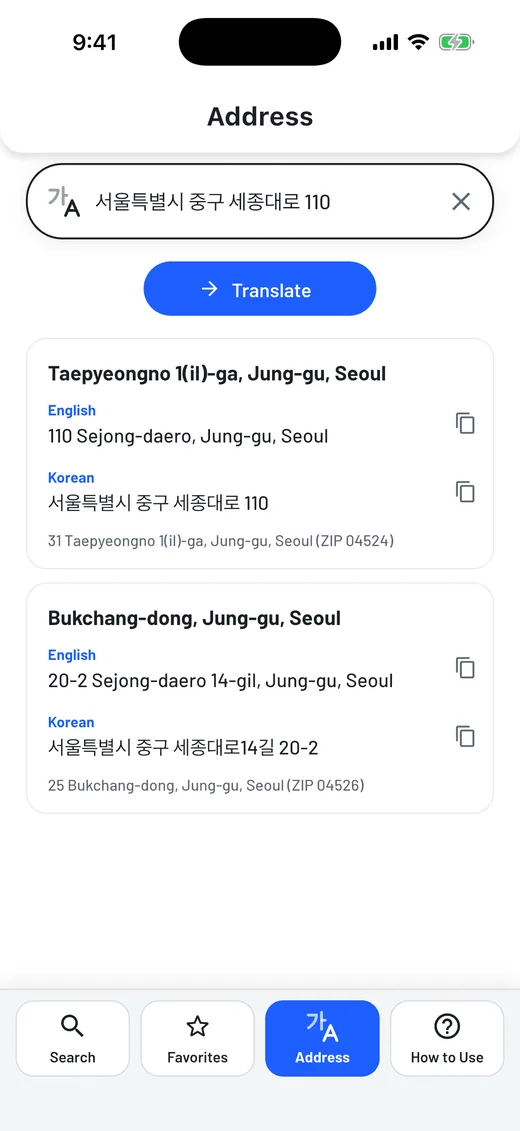
Paste a Korean address from a booking, a map or a message. Get the English road-name address, the lot-number address and the ZIP code, and tap to copy it for a taxi app, a form or your driver.
No sign-in. Search by station name, bus stop name or the 5-digit stop number.
Timing does not ask for your location, contacts, photos or notifications.
Tap the star to keep stations and stops. They are saved on your device only.
Pay once. Every feature is included. No subscription, no in-app purchases. Read the privacy policy.


Timing은 서울을 찾는 여행자를 위한 영어 지하철과 버스 도착 안내 앱입니다.
노선도에서 역을 누르면 방향별 도착 정보가 승강장 표지판과 같은 영어 표기로 나옵니다.
공공 데이터가 제공되는 역에서는 엘리베이터, 가까운 열차 문, 보관함, 화장실 안내를 볼 수 있습니다. 서울교통공사 1~8호선 구간이 중심입니다.
한글 주소를 영어 도로명 주소, 지번 주소, 우편번호로 바꿔 택시 기사님께 보여 드릴 수 있습니다.
계정이 없어도 쓸 수 있고 위치 정보를 요청하지 않습니다. 한 번 결제하면 모든 기능을 쓸 수 있습니다.
서울에 오는 외국인 가족이나 친구에게 알려 주세요.
Google Play에서 먼저 만나보실 수 있습니다. iPhone 버전은 곧 공개됩니다.